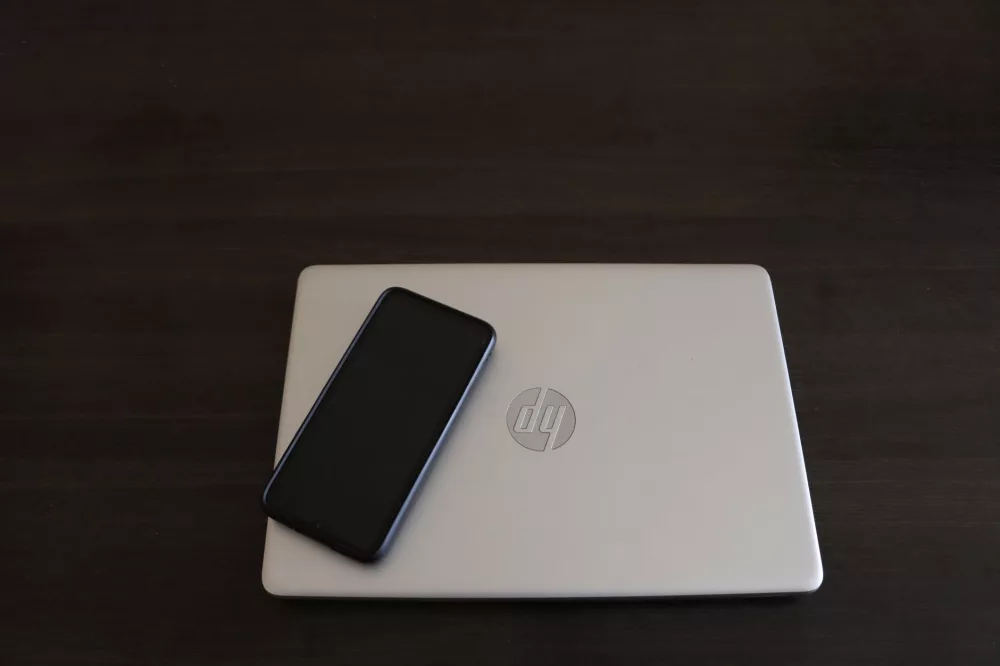
You know, when I reflect on the computers that really defined a certain era of mainstream computing, the HP G72 series definitely pops into my mind. It wasn't about being the flashiest or the most powerful machine on the market, but it certainly carved out a significant niche for itself as a dependable, budget-friendly workhorse. I've always found it fascinating to look back at these machines, not just for nostalgia's sake, but to understand where we've come from in the world of personal computing. The G72, with its substantial 17-inch display, offered a compelling package for users who needed a larger screen without breaking the bank, a common desire back in its day. It hit the market when Windows 7 was king, and frankly, it ran that operating system with a reasonable amount of grace for its price point. Let's really dive into what made this laptop tick and what it meant for everyday users.
Design and the Aesthetics of its Time
I always found the HP G72's design to be quite straightforward, a classic example of HP's approach to consumer laptops back then. It had that somewhat chunky, yet reassuringly solid feel, didn't it? The chassis was primarily plastic, which was pretty standard for its price point, but it usually sported a glossy, often fingerprint-prone finish. I remember seeing a lot of these with a subtle pattern or texture, usually in a dark grey or black, attempting to add a touch of sophistication without driving up costs too much. It was practical, yes, but certainly not a design statement. I think its size, especially with that 17.3-inch display, made it less of a portable warrior and more of a desktop replacement, something you'd primarily use at home or in an office setting. Carrying this beast around all day would've been a bit of a workout, I'm telling you.
Build Quality and Ergonomics
For its budget-conscious nature, I'd say the build quality was decent. You wouldn't call it premium, but it wasn't flimsy either. The hinges felt reasonably sturdy, and the keyboard deck had minimal flex, which was a plus. Ergonomically, the large chassis allowed for a full-sized keyboard with a dedicated number pad, a feature many users, myself included, really appreciated on a larger laptop. The palm rest area was spacious, making typing for extended periods quite comfortable. It wasn't a sleek ultrabook, not by a long shot, but it offered a comfortable, expansive workspace.
Performance: What Was Under the Hood?
Under the hood, the G72 offered a range of processors, mostly Intel Core i3 or i5 chips from the Arrandale generation. I recall these weren't exactly powerhouses, but they were more than capable for everyday tasks. Running Windows 7, browsing the web, managing documents – it handled all that with reasonable grace. For the average home user, it was perfectly adequate. Let's break down the common configurations:
- Processors: Typically Intel Core i3-330M, i3-350M, i5-430M, or i5-450M. These were dual-core processors, some with Hyper-Threading.
- RAM: Most models came with 3GB or 4GB of DDR3 RAM. Expanding this to 6GB or 8GB was a common and often beneficial upgrade for users. I remember upgrading the RAM on a friend's G72, and it made a noticeable difference.
- Storage: Usually a 320GB or 500GB 5400RPM hard drive. SSDs weren't standard at this price point back then, but installing one later on could absolutely breathe new life into these machines.
- Graphics: Integrated Intel HD Graphics was the norm, sufficient for basic media consumption and light gaming. Some higher-end configurations might have featured discrete ATI Mobility Radeon HD 5430 or 5470 graphics, which provided a modest bump for slightly more demanding visual tasks, though we're not talking about serious gaming here.
For its target audience, this hardware combination was quite competitive. It wasn't designed for heavy video editing or complex CAD work, and it definitely wasn't a gaming rig. But for schoolwork, family photos, email, and streaming movies, it did the job, and it did it well for its time.
The Visual and Auditory Experience
The G72's defining feature for many was undoubtedly its screen. That large 17.3-inch display, usually with a resolution of 1600x900 pixels, offered ample screen real estate. I found it great for multitasking, like having a document open alongside a web browser, or for enjoying movies. The larger size definitely contributed to its desktop-replacement appeal. Color reproduction and viewing angles weren't stellar by today's standards, but they were perfectly acceptable for the casual user. It often had a glossy finish, which could be reflective in bright environments, something I always found a little annoying.
Sound and Communication
Audio-wise, the G72 typically featured Altec Lansing speakers. While they weren't going to rival external speakers, they provided a decent sound experience for a laptop of its class. I found them to be adequate for watching YouTube videos or casual music listening. The integrated webcam and microphone were standard for video calls, functional but not high-definition masterpieces, as was typical during that period.
Connectivity: All the Essentials
Connectivity options on the G72 were pretty standard for its era, offering what most users would need:
- Multiple USB 2.0 ports (often three)
- VGA port for external monitors (still very common back then)
- HDMI port for connecting to newer displays or TVs
- Ethernet (RJ-45) for wired internet connections
- Wi-Fi (802.11 b/g/n)
- Headphone and microphone jacks
- An optical drive (DVD burner), which was still considered essential by many
- A multi-card reader
I remember appreciating the inclusion of both VGA and HDMI, giving users flexibility with older and newer display technologies. And that DVD burner? Absolutely critical for installing software, burning backups, or watching movies, back when disc media still had a stronger hold on us.
Keyboard and Trackpad: User Interaction
The keyboard on the HP G72 was, in my opinion, one of its strong suits for productivity. As I mentioned, having that full numeric keypad was a huge benefit for anyone dealing with spreadsheets or data entry. The keys had a decent amount of travel and feedback, making for a comfortable typing experience, even for long sessions. It wasn't backlit, which is something we often take for granted on modern laptops, but it was reliable.
The trackpad was a different story for me. It was functional, of course, but often felt a bit imprecise compared to what we're used to now. Multi-touch gestures were present but sometimes clunky. I usually found myself reaching for an external mouse for anything beyond basic navigation, a common habit with many laptops from that period.
Battery Life: Tying You to the Wall
Let's be real, battery life wasn't the HP G72's strong suit. With a large screen and the hardware it packed, you were generally looking at anywhere from 2 to 3.5 hours on a full charge under typical usage. This is why I often referred to it as more of a 'desktop replacement' – it really thrived when plugged into an outlet. If you needed to work untethered for an extended period, you definitely had to plan ahead or carry your power adapter, which wasn't exactly light either!
Software and the Windows 7 Experience
The HP G72 almost universally shipped with Windows 7 Home Premium or Professional. Windows 7 was a fantastic operating system, stable, intuitive, and widely loved. The G72 ran it smoothly enough for most tasks. However, like many manufacturers, HP tended to pre-load a fair amount of 'bloatware' – trial software, utilities, and other programs that could slow down a fresh machine. I always found myself doing a clean install or spending an hour or two uninstalling unwanted programs after getting a new HP laptop from that era.
Who Was the HP G72 For?
So, who was the ideal user for an HP G72? I think it was primarily aimed at:
- Students: Especially those who needed a larger screen for research papers and entertainment without spending a fortune.
- Home Users: Families looking for a shared computer for email, web browsing, and media consumption.
- Small Office/Home Office (SOHO) Users: People needing a reliable, larger-screen device for basic office tasks and presentations.
- Budget-Conscious Consumers: Anyone seeking maximum screen real estate and functionality for their dollar.
It really filled that sweet spot in the market where affordability met a decent user experience, albeit without much flair.
Legacy and Modern Relevance
Today, an HP G72 isn't going to be anyone's primary work machine unless they're really, really on a tight budget or have very specific, low-demand needs. The processors are slow by current standards, the hard drives are sluggish, and Windows 7 is no longer supported by Microsoft, which raises security concerns for online use. However, these machines can still find a niche.
I've seen people:
- Refurbish them: A RAM upgrade (to 8GB), an SSD replacement, and a clean install of a lightweight Linux distribution like Lubuntu or Xubuntu can make these old workhorses surprisingly usable again for basic web browsing, email, and word processing.
- Use them offline: For specific tasks that don't require internet access, like running older software or as a dedicated media player for local files.
- As learning tools: They're great for tinkering, learning about hardware upgrades, or for teaching kids basic computer skills without worrying about breaking an expensive new laptop.
Looking back, the HP G72 was a solid, no-frills laptop for its time. It wasn't revolutionary, but it delivered on its promise of affordability and a large screen experience. It represents a significant chapter in the evolution of mainstream laptops, reminding us that sometimes, all you need is a reliable machine that gets the job done, day in and day out. It’s a testament to a time when big screens and optical drives were kings, and I wouldn't trade those memories for anything.